
Active Directory role mapping strategy For Federation Security
When you are dealing with Active directory to handle your authentication you need to make sure that it passes right roles to your application.
In case of Federation Security you need to pass the roles as series of "role" claims.
Note: System.Security.Claims.ClaimTypes.Role represent "http://schemas.microsoft.com/ws/2008/06/identity/claims/role" value in dotnet.
You need to know that there is no concept of role in active directory. Instead we can use groups and map them to "role".
There are 2 main Roles in the episerver that you need to Consider them in the mappings:
- WebAdmins: can access both admin and edit views and the administration interfaces for add-ons and visitor groups oes not provide editing access in the content structure by default.
- WebEditors: Users in This group will get access to edit views. Users in this group are editors and often organized in other groups according to content structure or languages and won't have edit access until they get access based on another role or direct access based on username(which is not recomanded).
In Active directory you must define two groups which later will map to WebAdmins and WebEditors. The group’s name shouldn't necessarily be the same since later the Active directory admin will map them to these names when they setup the Transform Rules.
These links might be helpful if you have no idea about Transformation in ADFS
If you define “SiteA” group as a member of “WebEditors” and then define “Site A Digital Banking” group as a member of “WebEditors”, any member of “Site A Digital Banking” will get following roles [WebEditors, SiteA, SiteADigitalBanking].
If you define “Marketing” group as a member of “WebEditors”, any member of “Marketing” will get following roles [WebEditors, Marketing].
If you define “Employees” group, any member of “Employees” gets [Employees] role. Obviously if he is not member of “WebEditors, WebAdmins” he won’t be able to go to CMS admin and edit Area and
If a user is a member of multiple groups, they get all the roles. For instance, a user in employee group and marketing group, will get [WebEditors, Marketing, Employees] roles.
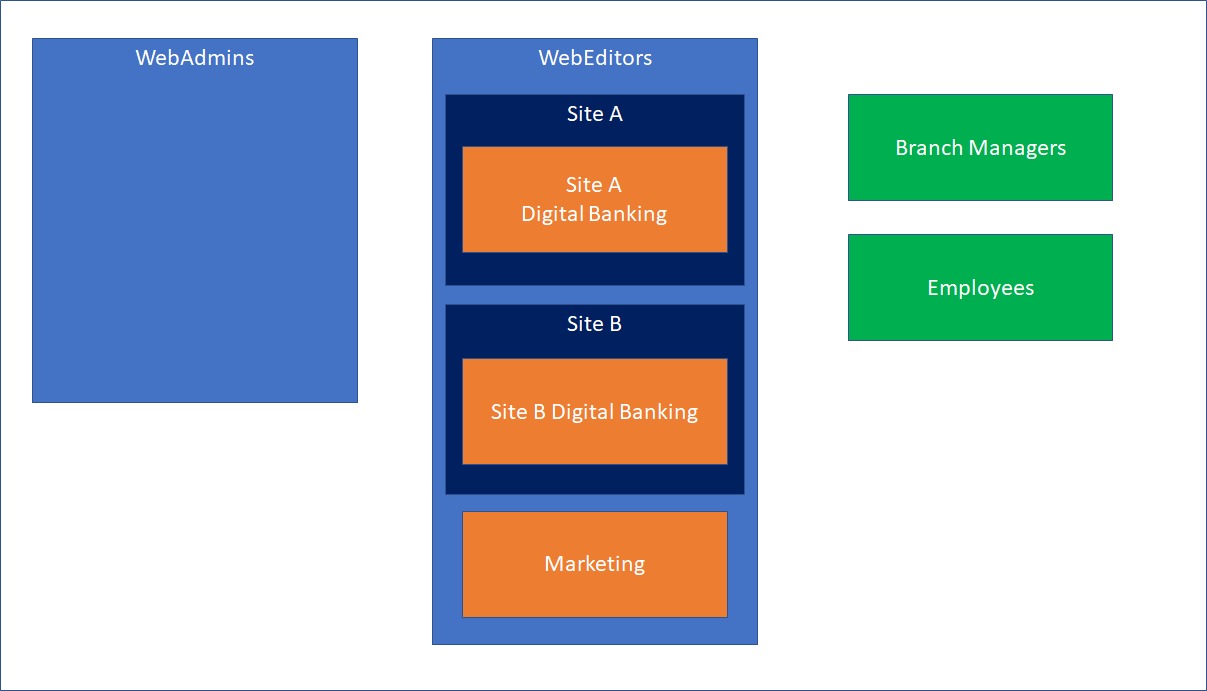
Keep in mind that you need to have a Transformation Rule for each group you need to map them to corresponding role. And also, you need to define those roles in EPiServer, beside WebEditors, WebAdmins which are already defined.
Note: Transformation can convert a group to a role. For example you can have epi.cms.webcontenteditor group in Active Directory and map them to “WebEditors”.
to define a role in EpiServer you can go to CMS Administrative area=> CMS => Admin => Admin => Administrater Group
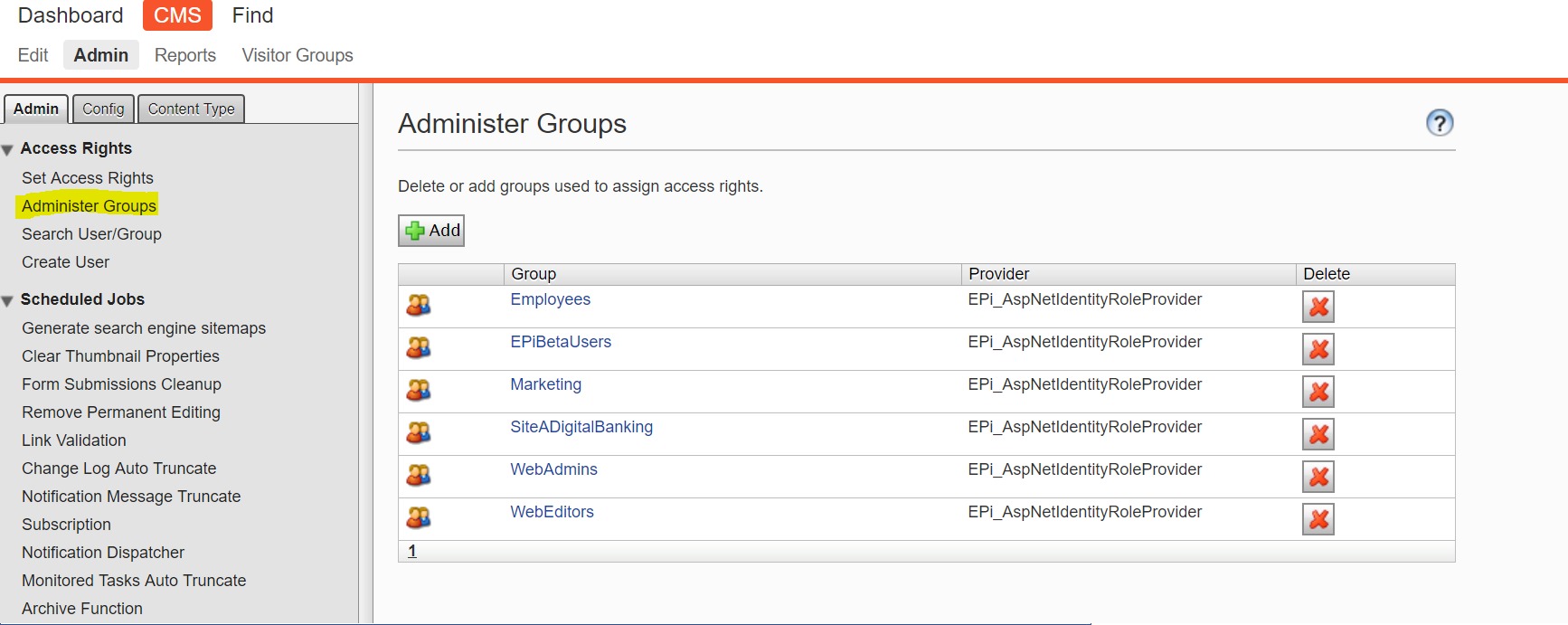
I'd recommend to follow the steps in the documentation or for example this latest blog post on the subject: https://world.episerver.com/blogs/Dan-Matthews/Dates/2019/1/quickstart-for-epi-azure-ad-and-ws-federation/
Doing that "Administer Groups" will be disabled and only the sync'ed role claims will decide which groups are available to choose from when setting permissions etc.
Really useful post. I posted recently on WS-Fed but only covered RBAC on Azure AD. Using proper AD groups as roles is another use case and certainly one that some companies will need.