


From SDK to Core: Modernizing Optimizely Configured Commerce for .NET 8 and .NET 10
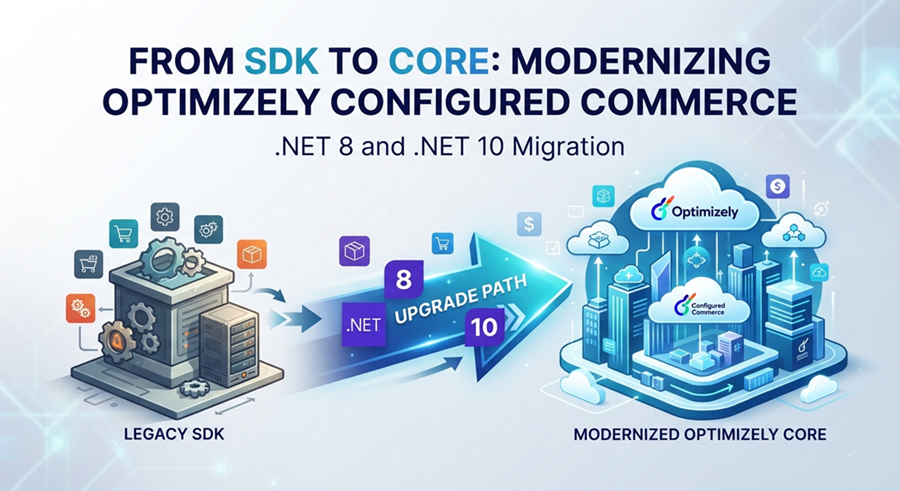
The .NET Framework 4.8 clock is running out for Configured Commerce customizations. Handled well, this deadline is not a chore it is the cleanest opportunity in years to shed technical debt, unlock modern performance, and future-proof your storefront. Here is what the migration really involves, and how an automation-first accelerator turns a months-long rewrite into a managed, low-risk upgrade.
The deadline you cannot keep deferring
For years, Optimizely Configured Commerce customizations have lived comfortably on the .NET Framework 4.8 SDK. It worked, it was stable, and there was rarely a pressing reason to touch it. That era is ending. Optimizely has set an end-of-support timeline for .NET 4.8 within Configured Commerce and is moving the platform onto modern .NET, and the runway is short.
The wider .NET picture makes the urgency concrete. Microsoft froze .NET Framework as a feature platform years ago there have been no new capabilities since version 4.8.1 in August 2022, and it now ships only as a component of Windows. Meanwhile the modern line moves fast: .NET 8, the current long-term-support release many teams are targeting, reaches end of support on November 10, 2026, and .NET 10, released in November 2025, carries long-term support through November 2028. Standing still is no longer neutral; it is a decision to fall further behind with every passing quarter.
The good news is that this is a well-understood, finite piece of work provided you approach it as an engineering program rather than a scramble. The rest of this article explains what the migration actually entails, why it is trickier than a routine framework bump, and how Royal Cyber compresses the effort and the risk with a purpose-built migration accelerator.
What “SDK to Core” actually means
Configured Commerce ships as a managed platform with defined extension points. Your team’s investment does not live in the platform’s own code; it lives in the customization projects layered on top the extensions, custom modules, integrations, and accelerator libraries that make the storefront yours. Historically those projects were built against the .NET Framework 4.8 SDK. “SDK to Core” migration means recompiling and re-shaping that custom code so it runs on modern, cross-platform .NET (the .NET 8.0+ line, the successor to what many still call “.NET Core”).
Crucially, the platform-owned projects are Optimizely’s responsibility and are upgraded through the normal version-upgrade process. Your migration scope is the custom code you own. Optimizely’s guidance is to first move to a recent platform build (release 5.2.2508 or newer), set up a modern local development environment, and then migrate your extension projects to .NET 8.0+. The target framework depends on your platform build: releases in the 5.2.2512–5.2.2604 range pair with .NET 8, while 5.2.2605 and later move to .NET 10.
In practice, then, this is a focused, bounded job: take the projects you built, carry them across a genuine framework boundary, and make sure they still behave the same way against the modernized platform. Bounded does not mean trivial as the next section shows.
The real cost of standing still
It is tempting to treat an aging framework as a problem for “later.” But the cost of remaining on .NET Framework 4.8 is real and compounding, even while the application appears to run fine.
- Security exposure. A frozen framework receives only critical operating-system-level patches. Modern .NET receives active security hardening, and the ecosystem’s newest package versions increasingly target it exclusively.
- Performance left on the table. Each modern .NET release has delivered substantial throughput and memory improvements. Staying on 4.8 means paying for infrastructure to do work that newer runtimes do faster and cheaper.
- Innovation lockout. New Configured Commerce capabilities, language features, and libraries are built for modern .NET. On 4.8 you are increasingly unable to adopt them and unable to take advantage of platform enhancements that assume the new runtime.
- A shrinking talent pool. Engineers want to work on current stacks. Legacy frameworks make hiring harder and slow every future change.
- Compounding technical debt. The longer the gap between your code and the supported platform, the larger and riskier the eventual jump. Deferring does not remove the work; it inflates it.
There is also a hard dependency at play: once Optimizely’s support window for .NET 4.8 closes, continued platform upgrades and hotfixes assume you are on the modern runtime. Migration stops being an optimization and becomes a prerequisite for staying current and supported.
Why this is not a routine framework upgrade
Teams sometimes assume a framework bump is a matter of changing a target version and rebuilding. For Configured Commerce customizations, several factors make it materially harder.
A platform boundary you must not cross
Certain projects are owned by the platform and must never be modified during migration. Editing them breaks upgradeability and support. A safe migration has to positively identify those projects and leave them alone, migrating only the code you own a distinction that is easy to get wrong by hand in a large solution.
Breaking API and behavior changes
The move from the old web stack to ASP.NET Core is not a rename. Controller base classes, action-result types, attribute routing, model binding, and dependency-injection patterns all change. Some shifts are mechanical; others are behavioral for example, how a null response is treated, or how optional collection parameters bind. A find-and-replace approach will compile and still be subtly wrong.
Entity Framework and data access
Legacy Entity Framework mapping classes must be reshaped into the EF Core pattern. Beyond the mechanical conversion, some query shapes that ran happily before will no longer translate to SQL, and lazy-loading assumptions can quietly change. These need a human eye, not a blind rewrite.
The NuGet and packaging maze
Modern platform packages pull in a large graph of dependencies at versions higher than the old direct references, producing downgrade errors. If your repository uses central package management, a naive migration also breaks version resolution. Getting a migrated project to simply restore and build cleanly is often where unaided efforts stall for days.
Removed features with no drop-in replacement
Some capabilities are gone in the modern platform. Search rebuild Version 1 is unsupported and must move to Version 2; certain legacy integration endpoints, media-editing features, and admin experiments are removed. These require a plan, not a patch and discovering them late is how projects slip.
Where the manual approach breaks down
Handed to a team without tooling, this migration tends to follow a predictable and painful arc. Engineers open project after project, chase compiler errors one at a time, and lose days untangling package conflicts before a single line of business logic is even reviewed. Because the mechanical and the judgment-heavy changes are tackled together, genuinely risky decisions get rushed while trivial edits soak up attention. Worst of all, the work is hard to audit: at the end, no one can say cleanly which changes were safe and automatic versus which ones altered behavior and deserve testing.
The result is slow, inconsistent, and stressful and it scales badly across the dozens of customization projects a mature storefront accumulates. The mechanical majority of the work is exactly the kind of thing software should do; the human minority is exactly the kind of thing software should never guess at. That insight is the foundation of Royal Cyber’s approach.
A different approach: automate the mechanical, spotlight the judgment
Royal Cyber built a migration accelerator for exactly this problem. Its guiding principle is a strict separation into two tiers.
- Automatic. Changes that are mechanical and semantically safe the routing rewrites, base-class swaps, result-type changes, mapping conversions, and package reconciliations. These are applied for you, consistently, every time.
- Review. Changes that need human judgment behavioral edge cases, queries that may not translate, removed features. These are never auto-“fixed.” They are detected and reported with context, because a wrong automatic fix here is worse than a clear flag.
Two design decisions make the accelerator safe to run early and often. First, it is non-destructive by default: it produces upgraded copies of your projects in a separate folder, keeping the original names and namespaces, so your existing codebase is never modified until you choose to adopt the result. Second, it defaults to a preview (dry-run) mode nothing is written to disk until you explicitly approve it. You can see exactly what a migration would do before committing to any of it.
Inside the accelerator: how it works, end to end
The tool is a single migration engine offered through several front-ends, so it fits however a team prefers to work a command-line tool for power users and CI pipelines, a browser-based app for a guided click-through, an automated agent for hands-off runs, and an integration that lets AI assistants drive the migration conversationally. Whichever entry point you choose, the underlying process is the same.
1. Scan and select. The engine reads the solution, inventories every project with its current framework, and automatically locks the platform-owned projects so they cannot be migrated by mistake. You choose which of your customization projects to migrate.
2. Analyze and transform. It runs Microsoft’s upgrade analysis for a baseline, then applies the full catalog of automatic transforms project-file modernization, namespace and API rewrites, EF Core mapping conversion, dependency and package-management reconciliation to the copies.
3. Build, fix, and repeat. This is the standout capability. In agent mode the tool builds the migrated project, reads the compiler errors, applies a library of safe fixes, and rebuilds looping automatically until the project compiles. If it cannot finish on its own within a set number of attempts, it pauses and asks whether to continue rather than guessing. The tedious build-error grind that consumes manual migrations is largely automated away.
4. Report everything. Every run produces a written migration report: what was changed automatically, and what still needs a person, organized by category with file and line references. It is an audit trail and a to-do list in one, and it is what lets a lead scope the remaining human work precisely.
Automatic versus human: a concrete example
The difference is easiest to see in code. Below is a typical Web API controller before and after migration. Every change on the right the routing attribute, the base class, the result types, the response attribute, the explicit body binding is applied automatically, because each is mechanical and safe.
| Before .NET Framework 4.8 (SDK) | After .NET 8 / .NET 10 (Core) |
|---|---|
[RoutePrefix("api/v1/sample")]
public class SampleController
    : ApiController
{
  [ResponseType(typeof(OrderDto))]
  public IHttpActionResult GetOrder(int id)
  { return this.Ok(dto); }

  [HttpPost]
  public IHttpActionResult CreateOrder(
      OrderDto order) { ... }
|
[Route("api/v1/sample")]
public class SampleController
    : ControllerBase
{
  [ProducesResponseType(typeof(OrderDto),200)]
  public IActionResult GetOrder(int id)
  { return this.Ok(dto); }

  [HttpPost]
  public IActionResult CreateOrder(
      [FromBody] OrderDto order) { ... }
|
What the tool will not do silently is change behavior. If that same controller returned a value that might be null, or accepted an optional collection parameter, those are flagged for review because in ASP.NET Core they can behave differently, and only a developer who knows the intent should decide. The table below summarizes how the work divides across the migration.
| Migration area | Handled automatically | Flagged for a human |
|---|---|---|
| Project files | Target framework set to a single modern .NET; legacy project format modernized; package references reconciled. | Rare custom build targets or Windows-only assembly references. |
| Web APIs & routing | Old attribute routing, action-result types and controller base classes rewritten to ASP.NET Core equivalents. | Behavioral edge cases such as null-response handling and model binding differences. |
| Data access | Entity Framework mapping classes converted to the EF Core pattern. | Complex queries that may not translate to SQL, and lazy-loading assumptions. |
| Dependencies (NuGet) | Version conflicts and central-package-management wiring resolved so the project restores cleanly. | Cases where an intentionally older package version must be kept. |
| Removed platform features | Search rebuild to Version 2, dropped legacy integration endpoints, and other features with no drop-in replacement. |
This division is the whole point. Engineers stop spending their expensive judgment on mechanical edits, and start spending it only where judgment is actually required with a report that tells them exactly where that is.
What the numbers look like in practice
The accelerator is not a theoretical exercise. Run against a real, production Configured Commerce customization solution, it produces results like these:
From one real accelerator codebase
Run against a production Configured Commerce customization solution, the tool scanned 207 files across the custom modules, applied 137 automatic, semantically-safe changes, and surfaced 184 review items for an engineer to judge everything from a chatbot integration and a Power BI connector to a Teams module and a B2B accelerator library. The platform’s own projects were never touched.
The ratio is telling. The large majority of changes were handled automatically and consistently, while the review items the genuine engineering decisions were isolated and documented rather than buried. That is what converts an open-ended rewrite into a scoped, estimable, testable piece of work. It also means the same migration standard is applied identically across every project, instead of varying with whichever engineer happened to touch it.
Choosing your target: .NET 8 or .NET 10
A common early question is which modern framework to target. The honest answer is that your platform build largely decides for you, but the support calendar should shape the plan. Targeting .NET 8 is the right move for platform releases in the 5.2.2512–5.2.2604 range but remember its support ends in November 2026, so it is best treated as a stepping stone rather than a destination. Newer platform builds (5.2.2605+) move to .NET 10, which carries long-term support through November 2028 and is the better place to land if your platform version allows it.
The strategic implication is straightforward: align your Configured Commerce version-upgrade roadmap with your framework target so you make the jump once, to a runtime with a long support runway, rather than migrating to .NET 8 now and repeating the exercise a year later. Royal Cyber’s accelerator supports both targets and enforces a single modern framework in the output, so the migrated projects are clean and unambiguous either way.
A pragmatic migration playbook
Based on real engagements, a low-drama migration tends to follow this shape:
- Inventory and align. Catalog your customization projects and confirm your target platform build and framework. Establish which projects are platform-owned and out of scope.
- Preview before you commit. Run the accelerator in dry-run mode to produce a full report of automatic changes and review items with no risk to the existing codebase and use it to scope the human effort accurately.
- Automate the mechanical majority. Let the tool generate the migrated copies, run the build-fix loop to green, and reconcile packages, so engineers start from a compiling project rather than a wall of errors.
- Work the review list deliberately. Address the flagged items behavior changes, untranslatable queries, removed features such as the search rebuild move to Version 2 with proper testing behind each decision.
- Regression-test as a first-class step. Mechanical migration is not a substitute for testing. Validate the storefront’s critical paths against the modernized platform before you adopt the result.
Handled this way, the migration becomes a series of visible, reviewable steps with a clear finish line not an open-ended risk hanging over the roadmap.
The bottom line
The end of .NET Framework 4.8 support for Configured Commerce is not a problem to survive; it is an opportunity to modernize on your own terms. The work is real, and parts of it genuinely require experienced judgment. But the mechanical majority the part that historically eats weeks and introduces inconsistency can and should be automated, leaving your engineers to focus only on the decisions that matter and giving your stakeholders a clear, auditable trail of what changed and why.
That is precisely what Royal Cyber’s migration accelerator delivers: automatic where it is safe, transparent where it is not, non-destructive by default, and fast where manual effort stalls. If your Configured Commerce storefront is still on the .NET Framework SDK, the smartest move is to start with a no-risk assessment a dry-run migration report that shows exactly what your modernization will involve, before you commit a single change.
Ready to see your migration report?
Royal Cyber’s Optimizely practice can run an assessment against your solution and walk you through the results. Explore our Optimizely services at
https://www.royalcyber.com/technologies/optimizely/, or reach out to start the conversation.
Comments